


'%3e%3cpath%20d='M9.00078%2016.2C8.01328%2016.2%207.08203%2016.0125%206.20703%2015.6375C5.33203%2015.2625%204.5664%2014.7469%203.91015%2014.0907C3.2539%2013.4344%202.73828%2012.6688%202.36328%2011.7938C1.98828%2010.9188%201.80078%209.98755%201.80078%209.00005C1.80078%208.00005%201.98828%207.06567%202.36328%206.19692C2.73828%205.32817%203.2539%204.56567%203.91015%203.90942C4.5664%203.25317%205.33203%202.73755%206.20703%202.36255C7.08203%201.98755%208.01328%201.80005%209.00078%201.80005C10.0008%201.80005%2010.9352%201.98755%2011.8039%202.36255C12.6727%202.73755%2013.4352%203.25317%2014.0914%203.90942C14.7477%204.56567%2015.2633%205.32817%2015.6383%206.19692C16.0133%207.06567%2016.2008%208.00005%2016.2008%209.00005C16.2008%209.98755%2016.0133%2010.9188%2015.6383%2011.7938C15.2633%2012.6688%2014.7477%2013.4344%2014.0914%2014.0907C13.4352%2014.7469%2012.6727%2015.2625%2011.8039%2015.6375C10.9352%2016.0125%2010.0008%2016.2%209.00078%2016.2ZM9.00078%2014.7938C9.21328%2014.5813%209.42578%2014.1844%209.63828%2013.6032C9.85078%2013.0219%2010.0133%2012.3875%2010.1258%2011.7H7.87578C7.98828%2012.3875%208.15078%2013.0219%208.36328%2013.6032C8.57578%2014.1844%208.78828%2014.5813%209.00078%2014.7938ZM7.29453%2014.6063C7.11953%2014.2313%206.9664%2013.8%206.83515%2013.3125C6.7039%2012.825%206.59453%2012.2875%206.50703%2011.7H3.82578C4.18828%2012.4125%204.66953%2013.0219%205.26953%2013.5282C5.86953%2014.0344%206.54453%2014.3938%207.29453%2014.6063ZM10.707%2014.6063C11.457%2014.3938%2012.132%2014.0344%2012.732%2013.5282C13.332%2013.0219%2013.8133%2012.4125%2014.1758%2011.7H11.4945C11.407%2012.2875%2011.2977%2012.825%2011.1664%2013.3125C11.0352%2013.8%2010.882%2014.2313%2010.707%2014.6063ZM3.31953%2010.35H6.33828C6.31328%2010.1125%206.29765%209.87817%206.2914%209.64692C6.28515%209.41567%206.28203%209.18755%206.28203%208.96255C6.28203%208.73755%206.28515%208.51567%206.2914%208.29692C6.29765%208.07817%206.31328%207.86255%206.33828%207.65005H3.31953C3.25703%207.88755%203.21328%208.11567%203.18828%208.33442C3.16328%208.55317%203.15078%208.77505%203.15078%209.00005C3.15078%209.22505%203.16328%209.44692%203.18828%209.66567C3.21328%209.88442%203.25703%2010.1125%203.31953%2010.35ZM7.70703%2010.35H10.2945C10.3195%2010.1%2010.3352%209.86567%2010.3414%209.64692C10.3477%209.42817%2010.3508%209.21255%2010.3508%209.00005C10.3508%208.78755%2010.3477%208.5688%2010.3414%208.3438C10.3352%208.1188%2010.3195%207.88755%2010.2945%207.65005H7.70703C7.68203%207.88755%207.6664%208.1188%207.66015%208.3438C7.6539%208.5688%207.65078%208.78755%207.65078%209.00005C7.65078%209.21255%207.6539%209.4313%207.66015%209.6563C7.6664%209.8813%207.68203%2010.1125%207.70703%2010.35ZM11.6633%2010.35H14.682C14.7445%2010.1125%2014.7883%209.88442%2014.8133%209.66567C14.8383%209.44692%2014.8508%209.22505%2014.8508%209.00005C14.8508%208.77505%2014.8383%208.55005%2014.8133%208.32505C14.7883%208.10005%2014.7445%207.87505%2014.682%207.65005H11.6633C11.6883%207.88755%2011.7039%208.12192%2011.7102%208.35317C11.7164%208.58442%2011.7195%208.81255%2011.7195%209.03755C11.7195%209.26255%2011.7164%209.48442%2011.7102%209.70317C11.7039%209.92192%2011.6883%2010.1375%2011.6633%2010.35ZM11.4945%206.30005H14.1758C13.8133%205.58755%2013.332%204.97817%2012.732%204.47192C12.132%203.96567%2011.457%203.6063%2010.707%203.3938C10.882%203.7688%2011.0352%204.20005%2011.1664%204.68755C11.2977%205.17505%2011.407%205.71255%2011.4945%206.30005ZM7.87578%206.30005H10.1258C10.0133%205.61255%209.85078%204.97817%209.63828%204.39692C9.42578%203.81567%209.21328%203.4188%209.00078%203.2063C8.78828%203.4188%208.57578%203.81567%208.36328%204.39692C8.15078%204.97817%207.98828%205.61255%207.87578%206.30005ZM3.82578%206.30005H6.50703C6.59453%205.71255%206.7039%205.17505%206.83515%204.68755C6.9664%204.20005%207.11953%203.7688%207.29453%203.3938C6.54453%203.6063%205.86953%203.96567%205.26953%204.47192C4.66953%204.97817%204.18828%205.58755%203.82578%206.30005Z'%20fill='%23041818'/%3e%3c/g%3e%3c/svg%3e)
Android Device Management for Rugged Devices

Rugged Android devices connect physical work to the systems that support it. A warehouse scanner records a pick, a retail PDA checks inventory, and a field device captures a service event. If devices are not enrolled, configured, updated, and supported consistently, the impact can extend beyond IT: receiving, sales, dispatch, and proof of delivery may all be delayed.
Android device management for rugged devices gives IT and operations teams a consistent way to manage endpoints throughout their lifecycle. The key evaluation question is not how long a product’s feature list is. It is whether the platform supports the specific device model, Android build, ownership mode, network conditions, and business application used in the field.
Begin with the workflow you need to protect
Identify the business workflow before comparing management platforms. For a warehouse fleet, that may include barcode scanning, Wi-Fi roaming, a line-of-business application, and shift handover. In retail, it may mean a POS application, approved browser access, and a restricted device experience. For field service, it could involve location, device health, and a secure route to support.
Translate the workflow into pass-or-fail tests. A practical evaluation checklist includes:
- Can each target device enroll in the correct organization and group?
- Can the required business application install, launch, update, and recover from a failure?
- Can the right configuration reach the intended users without disrupting scanning, printing, or connectivity?
- Can an authorized administrator view useful device status and support a device when it is off site?
- Can a device be reassigned or retired while following the organization’s data-handling process?
Testing these tasks on representative hardware helps avoid a common pitfall: choosing a platform after a generic Android demonstration, then finding that a particular PDA model, OEM plug-in, ownership mode, or restricted network changes the outcome.
Core capabilities to validate for rugged Android fleets
For rugged or shared Android devices, management typically covers enrollment, device groups, configuration profiles, application policies, security restrictions, status visibility, and controlled remote actions. Shadowalk’s workflows for enrollment policy, Zero-touch enrollment, QR enrollment, BYOD enrollment, device groups, configuration profiles, applications, compliance, and device-level commands. These workflows can help structure a pilot around day-to-day administration tasks rather than broad capability labels.
Validate each area against the devices and workflows in your fleet.
1. Enrollment and ownership mode
Corporate work-only, dedicated kiosk, and BYOD devices have different management boundaries. A fully managed device can support a different policy set from a work-profile device. Before purchasing, document the ownership model for each fleet segment, the expected reset state, whether Google Mobile Services are available, and the enrollment method you plan to use.
For larger deployments, test the preparation steps for QR code or Zero-touch enrollment, including organization binding, network access, group assignment, and enrollment review. For existing devices, define a migration process. A device cannot normally operate under two Device Owner implementations at the same time, so migration may require planned reprovisioning.
2. Application delivery and recovery
The business application is often central to the device’s purpose. Before rollout, record its package ID, version, signature, required permissions, Android version, and dependencies. Test installation on representative devices, then verify the workflow itself, including sign-in, scanner behavior, printing, offline operation, and reconnection.

Validate application delivery on the models and under the operating conditions expected in production. Include a rollback plan: an earlier APK may not be compatible with existing device data or a newer signature. A successfully submitted command does not prove that the application launched. Use reported device state together with an operational test as acceptance evidence.
3. Policies that protect work without blocking it
Kiosk restrictions, password requirements, Wi-Fi settings, certificates, browser rules, and feature controls can reduce risk, but a policy applied without a recovery route can interrupt work. Test policy precedence and staged rollout groups. Before changing Wi-Fi, proxy, or certificate settings at scale, confirm there is a safe way to restore connectivity.
Design kiosk policies to preserve the approved work experience while limiting access to unnecessary functions. For each policy, document its business purpose, target group, owner, change record, and rollback procedure. This helps operations teams understand restrictions and gives administrators a way to investigate issues without removing every control.
4. Remote support with clear boundaries
Remote viewing, remote control, file transfer, and device commands may reduce site visits. Their behavior depends on the device model, Android version, plugin availability, permissions, connectivity, and organizational policy. Test the specific support actions required on the actual devices planned for deployment.

Use a repeatable support process: confirm the device identity and administrator scope, obtain authorization where required, perform the action, record the outcome, and remove temporary access. Treat remote support as an operational procedure, not just a console feature.
5. Operational visibility that leads to action
Dashboards are useful when their metrics are clearly defined. Agree on how the team measures online rate, application deployment success, compliance, and recovery time. For example, an online-rate denominator should exclude retired devices and specify a heartbeat window. Missing device reports should not automatically count as compliant.
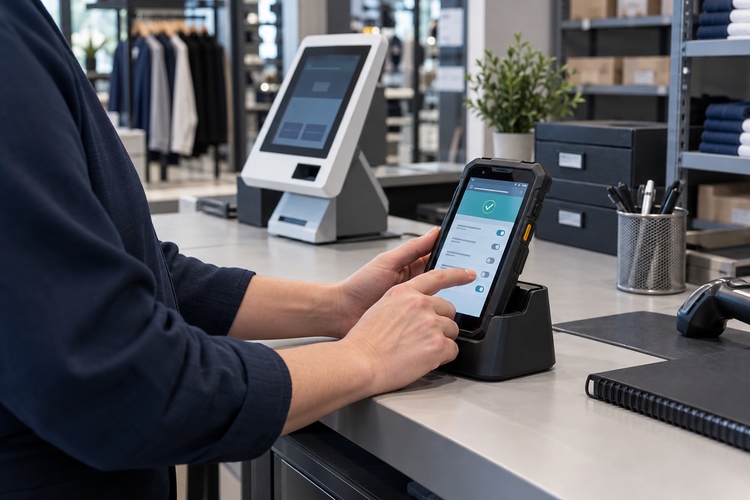
Start with a small set of measures that can inform decisions. During a pilot, these might include enrollment completion, application deployment status, policy results, offline devices, and the time needed to restore a disrupted workflow.
Use a 30-day pilot to verify deployment readiness
- Week 1: Select representative device models, Android versions, locations, network conditions, and ownership modes. Build the compatibility list and baseline group structure.
- Week 2: Enroll a controlled batch, apply baseline configurations, deploy the business application, and test connectivity and restrictions.
- Week 3: Test remote support, application updates, offline operation and reconnection, and device reassignment. Record results by model and OS build.
- Week 4: Review acceptance evidence with IT and operations, refine the runbook, and decide whether to expand in batches.
The objective is not to demonstrate every setting. It is to verify that the platform can support the work your rugged Android devices perform.
Choose Android device management you can validate
Effective Android device management depends on a clearly defined fleet, an appropriate ownership model, and tested operating procedures. If your organization manages warehouse PDAs, retail devices, kiosks, or field endpoints, start with the models and workflows that carry the greatest operational risk.
To evaluate Android device management for your rugged fleet, run a Shadowalk pilot with representative devices, applications, and network conditions. Use the results to confirm fit, refine operating procedures, and plan any expansion in controlled batches.
Ready to simplify device management?
See how Shadowalk can secure and operate your device fleet.
