


'%3e%3cpath%20d='M9.00078%2016.2C8.01328%2016.2%207.08203%2016.0125%206.20703%2015.6375C5.33203%2015.2625%204.5664%2014.7469%203.91015%2014.0907C3.2539%2013.4344%202.73828%2012.6688%202.36328%2011.7938C1.98828%2010.9188%201.80078%209.98755%201.80078%209.00005C1.80078%208.00005%201.98828%207.06567%202.36328%206.19692C2.73828%205.32817%203.2539%204.56567%203.91015%203.90942C4.5664%203.25317%205.33203%202.73755%206.20703%202.36255C7.08203%201.98755%208.01328%201.80005%209.00078%201.80005C10.0008%201.80005%2010.9352%201.98755%2011.8039%202.36255C12.6727%202.73755%2013.4352%203.25317%2014.0914%203.90942C14.7477%204.56567%2015.2633%205.32817%2015.6383%206.19692C16.0133%207.06567%2016.2008%208.00005%2016.2008%209.00005C16.2008%209.98755%2016.0133%2010.9188%2015.6383%2011.7938C15.2633%2012.6688%2014.7477%2013.4344%2014.0914%2014.0907C13.4352%2014.7469%2012.6727%2015.2625%2011.8039%2015.6375C10.9352%2016.0125%2010.0008%2016.2%209.00078%2016.2ZM9.00078%2014.7938C9.21328%2014.5813%209.42578%2014.1844%209.63828%2013.6032C9.85078%2013.0219%2010.0133%2012.3875%2010.1258%2011.7H7.87578C7.98828%2012.3875%208.15078%2013.0219%208.36328%2013.6032C8.57578%2014.1844%208.78828%2014.5813%209.00078%2014.7938ZM7.29453%2014.6063C7.11953%2014.2313%206.9664%2013.8%206.83515%2013.3125C6.7039%2012.825%206.59453%2012.2875%206.50703%2011.7H3.82578C4.18828%2012.4125%204.66953%2013.0219%205.26953%2013.5282C5.86953%2014.0344%206.54453%2014.3938%207.29453%2014.6063ZM10.707%2014.6063C11.457%2014.3938%2012.132%2014.0344%2012.732%2013.5282C13.332%2013.0219%2013.8133%2012.4125%2014.1758%2011.7H11.4945C11.407%2012.2875%2011.2977%2012.825%2011.1664%2013.3125C11.0352%2013.8%2010.882%2014.2313%2010.707%2014.6063ZM3.31953%2010.35H6.33828C6.31328%2010.1125%206.29765%209.87817%206.2914%209.64692C6.28515%209.41567%206.28203%209.18755%206.28203%208.96255C6.28203%208.73755%206.28515%208.51567%206.2914%208.29692C6.29765%208.07817%206.31328%207.86255%206.33828%207.65005H3.31953C3.25703%207.88755%203.21328%208.11567%203.18828%208.33442C3.16328%208.55317%203.15078%208.77505%203.15078%209.00005C3.15078%209.22505%203.16328%209.44692%203.18828%209.66567C3.21328%209.88442%203.25703%2010.1125%203.31953%2010.35ZM7.70703%2010.35H10.2945C10.3195%2010.1%2010.3352%209.86567%2010.3414%209.64692C10.3477%209.42817%2010.3508%209.21255%2010.3508%209.00005C10.3508%208.78755%2010.3477%208.5688%2010.3414%208.3438C10.3352%208.1188%2010.3195%207.88755%2010.2945%207.65005H7.70703C7.68203%207.88755%207.6664%208.1188%207.66015%208.3438C7.6539%208.5688%207.65078%208.78755%207.65078%209.00005C7.65078%209.21255%207.6539%209.4313%207.66015%209.6563C7.6664%209.8813%207.68203%2010.1125%207.70703%2010.35ZM11.6633%2010.35H14.682C14.7445%2010.1125%2014.7883%209.88442%2014.8133%209.66567C14.8383%209.44692%2014.8508%209.22505%2014.8508%209.00005C14.8508%208.77505%2014.8383%208.55005%2014.8133%208.32505C14.7883%208.10005%2014.7445%207.87505%2014.682%207.65005H11.6633C11.6883%207.88755%2011.7039%208.12192%2011.7102%208.35317C11.7164%208.58442%2011.7195%208.81255%2011.7195%209.03755C11.7195%209.26255%2011.7164%209.48442%2011.7102%209.70317C11.7039%209.92192%2011.6883%2010.1375%2011.6633%2010.35ZM11.4945%206.30005H14.1758C13.8133%205.58755%2013.332%204.97817%2012.732%204.47192C12.132%203.96567%2011.457%203.6063%2010.707%203.3938C10.882%203.7688%2011.0352%204.20005%2011.1664%204.68755C11.2977%205.17505%2011.407%205.71255%2011.4945%206.30005ZM7.87578%206.30005H10.1258C10.0133%205.61255%209.85078%204.97817%209.63828%204.39692C9.42578%203.81567%209.21328%203.4188%209.00078%203.2063C8.78828%203.4188%208.57578%203.81567%208.36328%204.39692C8.15078%204.97817%207.98828%205.61255%207.87578%206.30005ZM3.82578%206.30005H6.50703C6.59453%205.71255%206.7039%205.17505%206.83515%204.68755C6.9664%204.20005%207.11953%203.7688%207.29453%203.3938C6.54453%203.6063%205.86953%203.96567%205.26953%204.47192C4.66953%204.97817%204.18828%205.58755%203.82578%206.30005Z'%20fill='%23041818'/%3e%3c/g%3e%3c/svg%3e)
Android MDM Alternatives: SOTI, Hexnode & More
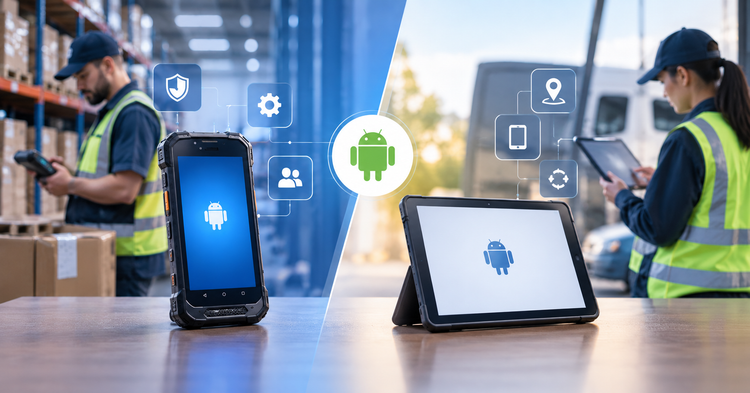
A retail PDA may fail to open a POS application.
A field device might go offline just when a delivery needs to be completed.
A warehouse picking operation can slow down because a single scanner suddenly stops working.
In each case, IT teams need to identify the problem, restore the device, and keep the operation moving.
For IT teams, these are more than isolated device issues. Someone needs to find out what went wrong, get the device back into working condition, and make sure the same problem does not keep disrupting the business.

As Android device fleets grow, managing these situations manually becomes increasingly difficult. The right device management platform can help standardize enrollment, application deployment, security policies, remote support, and everyday administration.
But choosing a platform is not only about the number of features it offers. Cost, deployment model, device requirements, and ease of management all matter.
Android device management buyers often compare platforms such as SOTI MobiControl, Hexnode, 42Gears SureMDM, Scalefusion, and ManageEngine Mobile Device Manager Plus. While these solutions share some core capabilities, they differ in platform coverage, licensing, deployment options, and everyday management workflows.
Before taking a closer look at Shadowalk and Hexnode, it helps to understand where each alternative fits and what businesses should consider when choosing an Android device management solution.
Popular Android MDM Alternatives to Consider
Not every business searching for an MDM alternative is unhappy with its current software. Some are comparing solutions before their first deployment, while others want to review licensing costs, device compatibility, or deployment options.
Here are five established MDM platforms worth considering, along with the situations in which an Android-focused solution like Shadowalk may be a good fit.
1. SOTI MobiControl
SOTI MobiControl is often evaluated by organizations running business-critical mobile devices across warehouses, delivery operations, retail sites, and field teams. Its management capabilities include device enrollment, application distribution, security policies, and remote troubleshooting. That makes it a relevant option when IT teams need to keep a large frontline fleet operational across multiple locations.
Why look for a SOTI alternative? The answer may be less about missing features and more about fit. A company with a primarily Android fleet might want to compare the features it actually uses, the licensing terms, implementation effort, and the support required for its devices.
Shadowalk is worth including in that evaluation if Android management, Kiosk Mode, remote support, and a choice of cloud or on-premises deployment are your main requirements. Test both platforms with representative devices before making a decision.
2. Hexnode UEM
Hexnode is a unified endpoint management platform covering Android as well as operating systems such as iOS, Windows, and macOS. For IT teams responsible for a mixed fleet, this broad coverage can help bring different devices and security policies into one management environment. Hexnode also offers Android-focused capabilities, including enrollment, app management, Kiosk Mode, and remote management.
A business searching for a Hexnode alternative may not be dissatisfied with those capabilities. It may simply be deciding whether it needs multi-platform management or a platform focused on Android workflows.
If most devices are Android handhelds, kiosks, or business tablets, Shadowalk is another option to evaluate. Compare the exact license tier, supported device models, deployment requirements, and the everyday tasks your administrators perform.
The detailed Shadowalk–Hexnode comparison later in this guide explores that trade-off more closely.
3. 42Gears SureMDM
42Gears SureMDM is used to manage business devices, including Android devices deployed as scanners, kiosks, and other dedicated endpoints. Its Android management tools cover enrollment, application distribution, Kiosk Mode, device restrictions, and remote support. Organizations that rely on shared or single-purpose devices may find these capabilities particularly relevant.
When searching for a SureMDM or 42Gears alternative, focus on how the platform handles the workflows that matter most to your team.
For example, can administrators enroll the devices you already own, keep business apps updated, enforce lockdown policies, and diagnose issues remotely?
Shadowalk is worth testing alongside SureMDM if your fleet is primarily Android and you want to evaluate an Android-focused management option with cloud or on-premises deployment. Confirm feature availability by plan and hardware model rather than comparing feature names alone.
4. Scalefusion
Scalefusion provides endpoint management for Android and several other operating systems, with tools for enrollment, application management, Kiosk Mode, and remote troubleshooting. Its Android kiosk capabilities can support dedicated devices used in retail, field operations, and other environments where employees need access to a limited set of business applications.
A search for a Scalefusion alternative often starts with a practical question: which solution fits the device fleet and management workload at hand?
Teams should examine the number of operating systems they need to support, how kiosk policies are configured, which remote actions are available for their hardware, and what those capabilities cost under the relevant plan.
Shadowalk is an option to consider if the fleet is Android-focused and flexible deployment is an important requirement. A short pilot can reveal more than a feature checklist.
5. ManageEngine Mobile Device Manager Plus
ManageEngine Mobile Device Manager Plus is designed for IT teams managing company-owned and employee-owned devices across several operating systems. It supports enrollment, application management, device restrictions, and security administration, with cloud and on-premises deployment options. It can be a logical candidate when mobile device management sits within a broader IT administration process.
If you are looking for a ManageEngine MDM alternative, start by separating your must-have mobile workflows from the rest of your IT requirements.
Do you primarily need to provision Android devices, distribute apps, apply Kiosk Mode policies, and assist remote users? Or do you need coordinated management across multiple operating systems and existing IT processes?
Shadowalk may be worth comparing for an Android-centered fleet, particularly when deployment flexibility matters. Validate device compatibility, management modes, and total costs before selecting either option.
What Is Shadowalk — and Who Is It For?
Shadowalk is an Android-first MDM/EMM platform developed by IDZOR Technologies. It focuses on managing Android devices throughout their lifecycle, from enrollment and configuration to application management, policy enforcement, remote support, and device retirement.
The platform supports several common Android deployment scenarios, including fully managed devices, dedicated devices with Kiosk Mode, and BYOD environments. Organizations can also choose between cloud and on-premise deployment depending on their infrastructure and management requirements.
Another consideration is pricing. Shadowalk publicly lists plans starting at US$1.99 per device per month. This provides a starting point for budgeting, but organizations should also confirm the billing terms, deployment costs, and the subscription tier required for their workflows.
A Closer Look: Shadowalk vs. Hexnode
| Feature | Shadowalk | Hexnode |
| Core positioning | Android-first MDM/EMM | Multi-platform UEM |
| Starting price | From $1.99/device/month | From $2.20/device/month |
| Deployment options | Cloud or on-premises | Cloud or on-premises |
| Enrollment methods | Zero-touch, QR code, and NFC | Zero-Touch, QR Code, and multiple enrollment methods |
| Kiosk mode | Supported | Supported |
| Remote management | Remote control, diagnostics, and commands | Remote management, depending on the plan |
| Ownership modes | Fully managed (including dedicated/Kiosk), corporate-owned, and BYOD | Fully managed, corporate-owned, and BYOD |
| Platform coverage | Android-focused | Multi-platform |
Features vary by plan, device compatibility, management mode, and required permissions. Starting prices may not include all features shown.
Android-First vs. Multi-Platform Management
One of the main differences between Shadowalk and Hexnode is their platform focus.
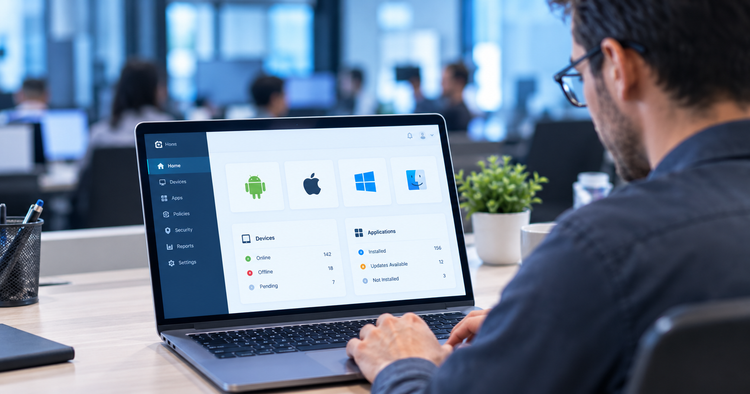
Shadowalk takes an Android-first approach, while Hexnode is built to manage a wider range of operating systems through a unified UEM platform.
For a business running Android devices across warehouses, retail stores, kiosks, or field operations, an Android-focused platform can keep the management experience centered on the devices and workflows the IT team deals with every day.
By contrast, businesses with a mix of Android, iOS, Windows, and macOS devices may find a multi-platform UEM approach more practical. Managing different types of endpoints through one console can help keep administration in one place.
The important thing is to start with your own device environment. If Android makes up most of your fleet, an Android-focused platform may be enough. If your IT team is responsible for several operating systems, broader UEM coverage may matter more.
What Should You Consider Before Choosing an Android Management Platform?
Price is important, but it is only one part of the decision. Before comparing plans, take a closer look at how your devices are used and what your IT team needs to manage.
- What devices are you managing?
Are they Android-only, or do you also have iOS, Windows, or macOS devices?
- How will you enroll devices?
Consider how devices will be deployed at scale. Depending on your environment, you may need options such as Zero-Touch enrollment, QR-based enrollment, or BYOD support.
- Which applications need to be managed?
Think about application deployment, updates, restrictions, and the different requirements of different device groups.
- Do you need Kiosk Mode?
If devices are used for a single application or a limited set of business functions, Kiosk capabilities may be an important requirement.
- How much remote support do you need?
For devices deployed across different stores, warehouses, or field locations, remote management can make it easier for IT teams to investigate problems without being physically next to the device.
- What is your actual budget?
Look beyond the monthly license fee and consider deployment, administration, support, and future scaling costs.
The Best Way to Compare: Test It on Your Own Devices
Feature lists and pricing pages are useful for narrowing down your options, but they cannot tell you everything about the day-to-day experience of managing a device fleet.
A small pilot with a few representative devices can give you a much clearer picture.
Start with the workflows you deal with most often:
- Enroll a few representative devices.
- Configure the devices and apply the required policies.
- Deploy the business applications your users actually need.
- Test Kiosk Mode if it is part of your use case.
- Try a remote troubleshooting workflow.
- Record how long common management tasks take.
This gives you a more realistic view of both the platform's capabilities and the operational effort involved.
Which Android Management Platform Fits Your Business?
There is no single platform that fits every business.
If your organization manages Android alongside several other operating systems, a broader UEM platform such as Hexnode may provide the centralized management you are looking for.
If your device fleet is primarily Android, Shadowalk offers an Android-focused approach covering key areas such as enrollment, application management, device policies, Kiosk Mode, and remote management.
The most useful comparison is ultimately the one based on your own devices and workflows. Test the platforms with the devices your team actually uses, and look beyond the subscription price to the time and effort required to manage them.

Explore Shadowalk and see how an Android-first approach can fit into your device management workflow.
Ready to simplify device management?
See how Shadowalk can secure and operate your device fleet.


