



As businesses use more mobile devices, they face growing risks of device loss, data breaches, downtime, and inaccurate asset records. Mobile device lifecycle management helps address these challenges. This guide explains its key stages and how Shadowalk MDM supports each one.
What Is Mobile Device Lifecycle Management?
Mobile device lifecycle management is the coordinated management of smartphones, tablets, laptops, industrial PDAs, and other mobile devices throughout their lifespan—from procurement to disposal.
Its goal is to maximize device efficiency by keeping devices reliable, productive, and secure throughout their working life. This helps businesses reduce downtime, minimize losses caused by device failures and security issues, and lower overall operating costs.
What Are the Stages of Mobile Device Lifecycle Management?
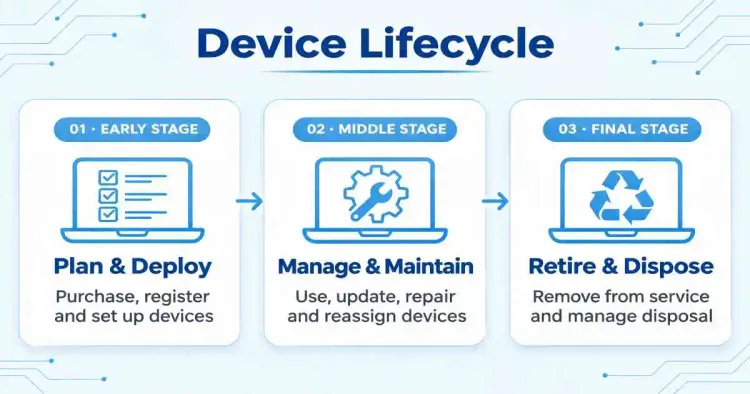
Based on the stages Shadowalk can support and the role of MDM, we divide the mobile device lifecycle into three main phases. Shadowalk MDM supports mobile device management from enrollment and deployment through daily use to retirement.
Early Stage
Procurement Planning & Device Deployment— Planning purchases, enrolling devices in inventory, and preparing them for use.
Middle Stage
Daily Operations & Maintenance; Device Reassignment, Repairs, & Recovery— Managing everyday use, device changes, repairs, and collection for reassignment or reuse.
Final Stage
Retirement & Disposal— Taking devices out of service and managing their end of life.
Early Stage: Procurement Planning & Device Deployment
Procurement Planning
🚨Common Challenges: Devices vary in condition, models are inconsistent, and businesses lack a clear view of which devices need replacing.
💡How can Shadowalk support procurement planning?
Shadowalk’s dashboard provides visibility into device online status, models, operating system versions, battery health, and memory usage. These insights help businesses assess their existing fleet and make informed purchasing decisions.
🔔Key Insights: Device connectivity and availability, model distribution, operating system versions, and battery health.
💰Business Value: Make data-informed decisions about device replacement and procurement.
Device Enrollment and Deployment
🚨Common Challenges: Manually setting up each device, installing apps, and configuring Wi-Fi and email is time-consuming and often results in inconsistent configurations.
💡How can Shadowalk support device deployment?
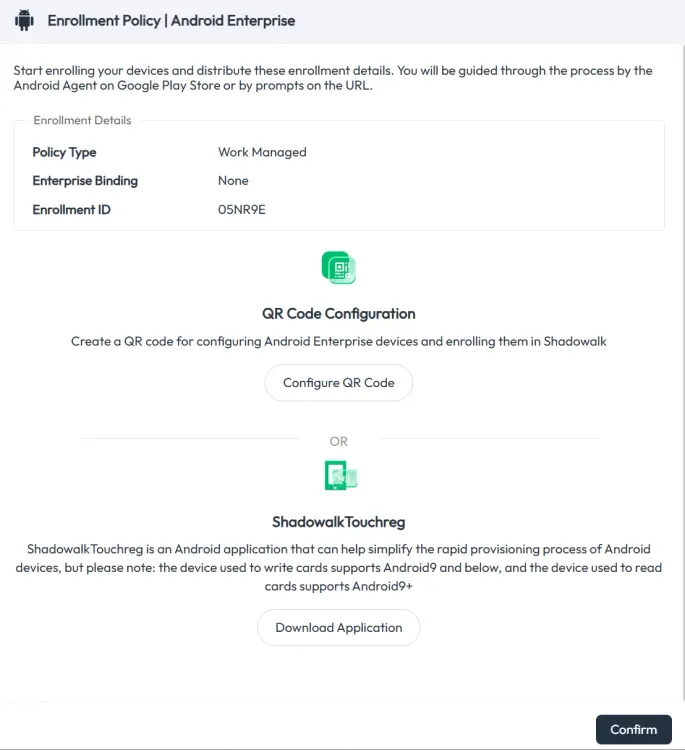
Automated Enrollment: Shadowalk supports Android zero-touch enrollment, allowing eligible devices to enroll in management automatically when first powered on and connected to the internet. Devices can also be enrolled using QR codes, URLs, or ShadowalkTouchreg.
Bulk Configuration: Deploy Wi-Fi settings, certificates, and password policies across multiple devices to maintain consistent configurations.
Silent App Installation: Install enterprise apps in bulk without requiring users to install them manually. Organizations using Android Enterprise can also manage app distribution through managed Google Play.
Kiosk Mode: Customize the device lock screen and restrict devices to a single app or a set of approved apps, supporting dedicated workflows in retail, warehousing, healthcare, and other industries.
❓Want to know more about KIOSK? Read this👉 What is Kiosk in MDM?
Device Grouping: Group devices by employee, department, asset ID, or other criteria, then apply policies tailored to each group.
💰Business Value: Speed up deployment, standardize device configurations, and bring devices under management as soon as they come online.
Middle Stage: Daily Operations, Maintenance & Device Reassignment
Devices spend most of their working life in this stage, where security, reliability, compliance, and data handling require ongoing attention. This makes it the core phase of mobile device lifecycle management and the stage where MDM plays its most active role.
Daily Operations and Maintenance
🚨Common Challenges: Lost or stolen devices, data leaks, inconsistent app versions, troubleshooting difficulties, personal use of company devices, and challenges enforcing compliance requirements.
💡How can Shadowalk help businesses manage daily device operations?
Policy Enforcement: Apply app allowlists and blocklists, enforce password and encryption requirements, and restrict system settings—for example, disabling cameras or preventing users from uninstalling apps.
Quick Troubleshooting: Use a virtual group to troubleshoot faulty devices together without changing their original group assignments. After maintenance, delete the virtual group to finish the work.
App & System Management: Distribute and update apps, silently install enterprise apps, and manage automatic system update policies.
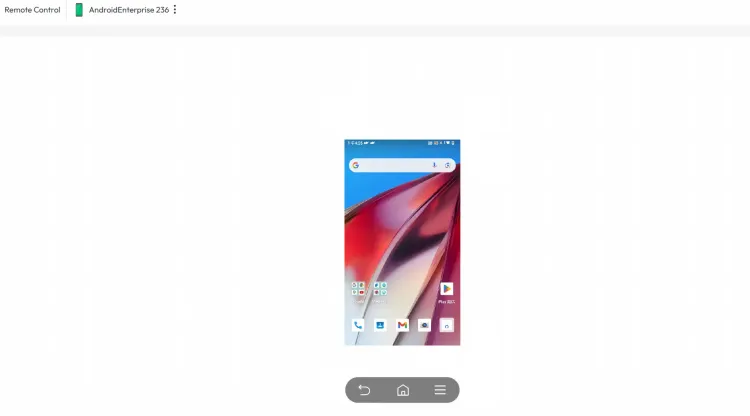
Remote Support: View and control devices remotely, restart devices, push software packages and files, and retrieve logs for troubleshooting.
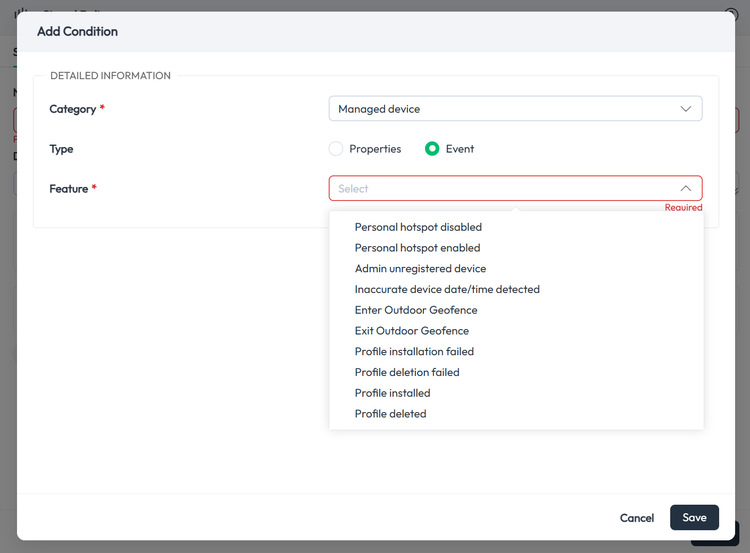
Monitoring & Alerts: When mobile devices are working, simply track their status (location, battery level, storage, network connectivity, online status, etc.) and compliance on the device console. Also, admins can configure alerts for events such as device status, profile, or system changes through Shadowalk's Signal feature.
Data Privacy & Security: Shadowalk only accesses device management information and does not read business data stored on managed mobile devices. It helps enterprises configure access permissions so that only authorized users can access designated business data.
Compliance Checks: Automatically spot noncompliant devices and restrict their access to corporate resources.
🔔Key Insights: Device online status, current location and location history, app usage, operating system and security patch versions, compliance status, and incident and alert logs.
💰Business Value: Resolve issues remotely to reduce on-site support and downtime, identify risks earlier, and centralize routine maintenance to help keep management costs under control as the device fleet grows.
Device Reassignment, Repairs, and Recovery
🚨Common Challenges: Employees fail to return devices when they leave or change roles, teams send devices for repair without clearing sensitive data, incomplete transfer records create inventory discrepancies, and administrators delay responding to lost devices.
💡How can Shadowalk support device reassignment, repairs, and recovery?
Device Reassignment: Remotely clear previous user data and apply policies for the new employee or role.
Lost-device Response: Receive offline alerts, remotely lock or wipe devices, track their location, and trigger a sound to help find them.
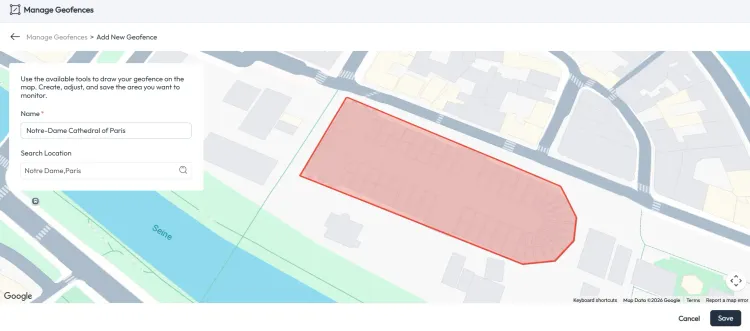
Repair Preparation: Back up or wipe device data remotely before sending devices for repair, and mark their repair status.
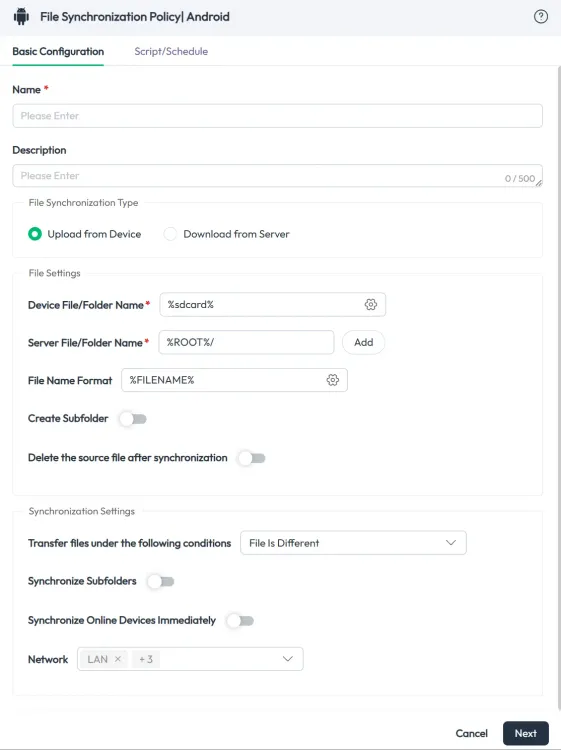
Log Tracking: Maintain device operation and change logs.
💰Business Value: Reduce the risk of data exposure during device transfers, prepare devices for reuse, and maintain clear accountability. Repair records can also inform future purchasing decisions.
Final Stage: Device Retirement & Disposal
🚨Common Challenges: Retired devices may retain sensitive business data, and businesses may lack the information they need to decide when to retire devices.
💡How can Shadowalk streamline device retirement?
Remote Data Wiping: Remotely wipe devices and restore factory settings by applying policies to protect corporate data before disposal.
Device History Review: Access historical device operating records to support informed retirement decisions.
💰Business Value: Reduce the risk of data exposure and make evidence-based retirement decisions. Historical device performance data also helps guide the next round of procurement, completing the mobile device lifecycle management cycle.
All in all
Mobile device lifecycle management covers procurement planning, enrollment, deployment, daily operations, reassignment, repairs, recovery, and disposal. Shadowalk helps businesses track devices, centrally manage distributed devices, and resolve issues quickly to keep operations running smoothly.
FAQ
Q1: How does mobile device lifecycle management differ from traditional IT asset management?
Traditional IT asset management focuses on inventory, ownership, and location records. Mobile device lifecycle management extends to remote configuration, security policies, operational monitoring, and data wiping. It helps businesses understand how devices are used and how well they perform throughout their working life.
Q2: What types of devices can Shadowalk manage?
Depending on platform support, Shadowalk can manage devices such as smartphones, tablets, and rugged devices running Android and iOS. Management capabilities vary by operating system and enrollment method.
Q3: Why is Middle Stage the most important lifecycle stage?
Devices spend most of their working life in active use, maintenance, and reassignment. Security risks, technical faults, and data handling issues frequently arise during this period, making Shadowalk's policy enforcement, monitoring, and remote support capabilities especially valuable.
Q4: What can Shadowalk do if a device is lost?
Shadowalk can help administrators remotely lock a device, track its location, trigger a sound, or wipe corporate data when necessary. Availability depends on the device's platform, enrollment settings, and connectivity.
Q5: What are the business benefits of deploying Shadowalk?
Shadowalk helps businesses speed up deployment, reduce support costs, manage security and compliance risks, and maintain more accurate device records. Device history and operational insights also support better procurement and retirement decisions.
Ready to simplify device management? 👉 Book a Demo or Try for free!


